Select Version of EA Desktop:
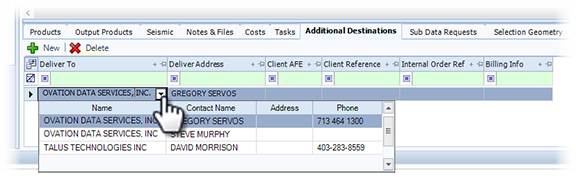
The lower area of the workspace includes a tab for adding additional delivery destinations.
To add an additional destination:
- Click the Additional Destinations tab.
- Click New.
- Click the down arrow in the Deliver To column to access the available destinations.
- Select the target destination and the information adds to the grid.
- Click Save.
The lower area of the workspace includes a tab for adding additional delivery destinations.
To add an additional destination:
- Click the Additional Destinations tab.
- Click New.
- Click the down arrow in the Deliver To column to access the available destinations.
- Select the target destination and the information adds to the grid.
- Click Save.